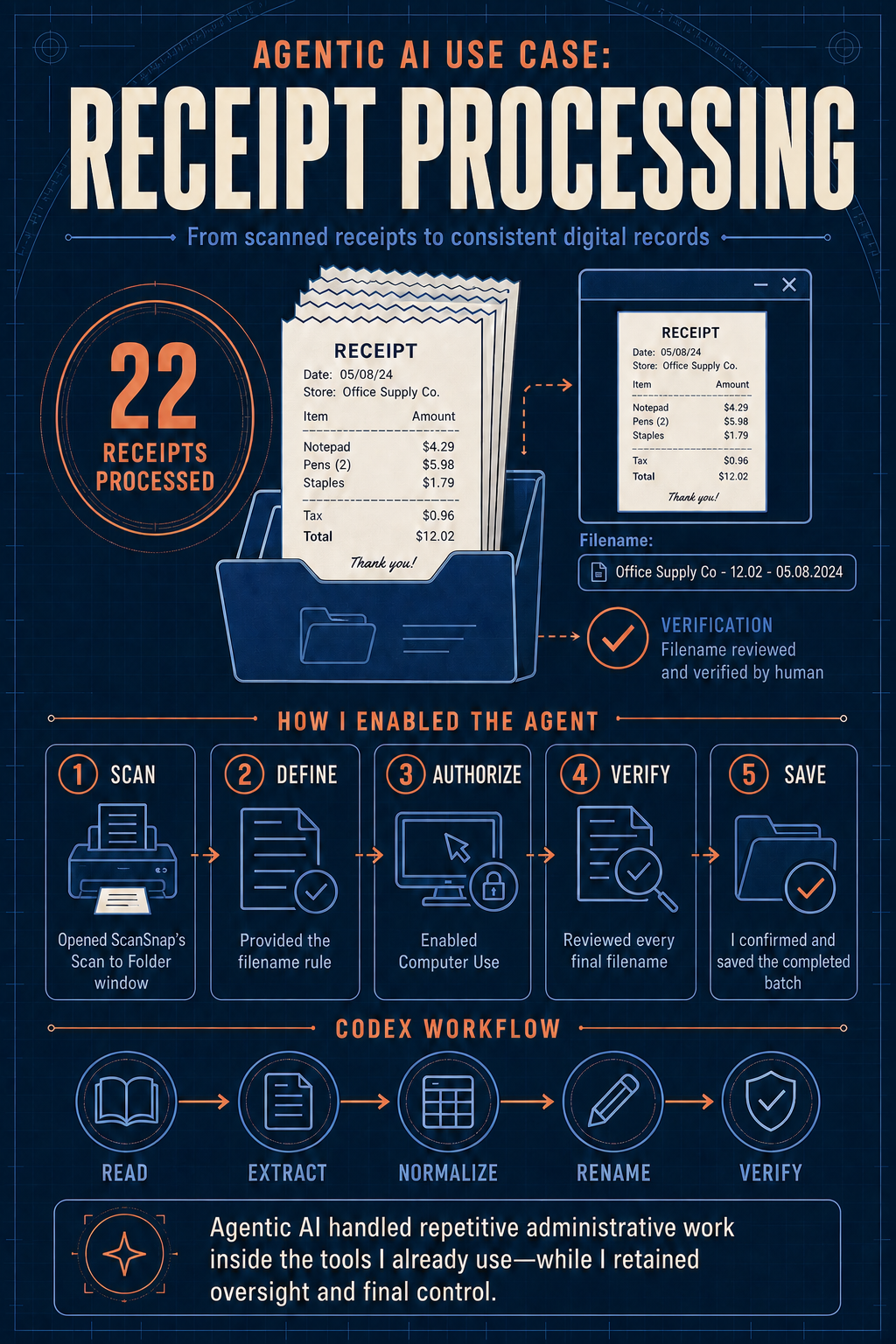
I recently used agentic AI to tackle a familiar administrative task: turning a stack of scanned paper receipts into usable digital records.
Anyone who has handled expense documentation knows how quickly this manual work adds up. For each receipt, I have to scan it in, extract key data, and rename the file. That is why I sometimes have a stack of receipts that is months old. It is time-consuming, detail-heavy work that competes with the higher-order initiatives I want to move forward.
Today, after scanning 22 receipts, I decided to see whether Codex could help. I kept my prompt simple:
“In the Scan to Folder pop-up window, navigate the receipt previews, extract the key information, and customize the filenames. Use this format: [Vendor] - [total amount paid] - [MM.DD.YYYY].”
Using Computer Use, Codex reviewed all 22 receipt previews, zooming and scrolling when needed to identify vendors, dates, final totals, and handwritten tips. It normalized dates and currencies, applied the naming convention, and navigated the ScanSnap window successfully. I confirmed the file names were correct, and pressed Save. Done.
I also turned the process into a reusable skill, so the next batch can follow the same dependable workflow.
Agentic AI handled repetitive administrative work inside the tools I already use—while I retained oversight and final control.
For me, this is where agentic AI becomes genuinely useful: working inside the real tools where administrative work happens, handling repetitive tasks carefully, and giving me more time for the work that benefits from my attention and judgment.